Have a Recording Studio On the Go

by Patricia Lopez

If you work from home, it is inevitable that you will get emails or calls relating to your job ALL THE TIME. Now that it is the season to be jolly, of course you would want to have fun with your friends and family. Even though you are in vacation mode, there would be job-related stuff that would be very hard to ignore. For example, while out of the country, you receive an email from your agent requesting you to send an audition for a gig that you have been praying for. Of course, you will spare a bit of your time to record but the problem is, you do not have your portable recording booth with you. Or maybe, you are just not in your studio and a pick-up for a previous project is needed ASAP, what do you do?

How would these apps help me with my work?

Who leaves their house without their phones, or their tablets nowadays? Thanks to the technological advancement, you can both enjoy being at the party, and not worry about not sending that audition demo! Mobile phone applications might just help you out! If you are a voice actor who’s always on the go, download one of these apps, A.S.A.P.

These apps can let you have a work-life balance. Here are five applications that you can use to record, and edit audio when you are not on your home studio:

AudioMaster Pro

(Available on iOS)

AudioMaster Pro lets you choose between fully adjustable 6 band or presets of 3 settings per genre. This gem will help you put  the final touches on your audio production. AudioMaster instantly maximizes the volume and enhances the sonic characteristics of your recording.

“Our audio algorithm automatically adjusts levels and gives a general sweetening of the mix. Think of it as the difference between a good-sounding mix and a louder professional sounding finished master.” – Future Moments.

AudioMaster Pro lets you export, save and share anywhere. The app is also Audiobus, IAA and AU compatible. It can also be exported in your choice of wav, m4a stereo or mono. AudioPro Master can be used for Podcasts, Music, Voiceover, etc.

You can check out AudioMaster (not Pro,) if you want to try first before buying.

BIAS AMP 2

(Available on iPad, iPhone)

BIAS AMP 2 Mobile is a professional virtual amp designer that offers replications of 36 of the best vintage, modern and boutique amps in rock. The app lets you create new sounds by designing your own amplifier, lets you swap out tubes, preamps, power amps, transformers, tone stacks, cab, and microphones.

BIAS AMP 2 Mobile has new features compared to the first version. The new features include a powerful new user interface, new preamp and power amp modules, tubes, tone stacks, Blues and Bass amp packs, new Dynamic Tone Control, new speaker cabinet module with multi-mic capability and open/closed back cabinet emulation and much more.

The app boasts complete, accurate and versatile component-level amp modeling; factory categories that allow you to organize amps by music genre and sonic impact (clean, blues, glassy, crunch, metal, acoustic, and bass); customizable preamps, tone stacks, power amps, transformers, cabinets, and mic selection and placement, and a whole lot more.

Bias AMP 2 is also available on desktop.

Voice Record Pro

(Available in android and iOS)

Voice Record Pro is developed by BeJBeJ Apps. It is a professional voice recorder app made available in android and iOS. It allows you to record voice memos and on-site sounds at unlimited length with configurable quality.

Read the rest of the article at The Voice Realm…

I Like That Old Time PUNCH & ROLL (Apologies To Bob Seger). Here’s Why & How To Do It …

by James Romick

The term Punch & Roll stems from those nearly bygone days of multitrack music recording on those huge 16- and 24-track analog tape machines used to record Bruce Springsteen and the E Street Band in recording studios such as The Power Station, The Hit Factory and The Record Plant.

The term Punch & Roll is really a misnomer, though.

Technically, it should be called Roll & Punch, because that’s the order in which the process is performed.

The recording engineer would jog the tape reels back a bit to get a pre-roll, then roll the tape, and the performer would punch-in at a certain point, either as a new take (and continuing on with the recording) or to make a correction in the middle of some previously recorded material.

In either case, the previously recorded material was recorded over, erased from existence, never to be saved for posterity.

And that, my friends, is the simplest example of destructive editing – newly recorded material replacing and erasing previously recorded material.

So, why the name Punch & Roll?

Well, Roll & Punch just doesn’t readily trip off the tongue, in much the same way that Roll ‘n’ Rock collides as just wrong in the brain. Duh! It’s Rock ‘n’ Roll, dudes and dudettes! Hence: Punch & Roll.

DIGITAL AGE P&R

Fast-forward to the digital age.

Nearly anyone with a computer, a DAW (Digital Audio Workstation) installed on said computer, some relatively inexpensive professional recording equipment (microphone and preamp), and a sound deadened space (a padded, walk-in closet for instance), can have for themselves a home studio in which to record their auditions, podcasts or audiobooks.

Therefore, being a voice talent nowadays necessitates having some (more than basic) audio engineering skills, such as setting good input levels, possibly processing and mastering your files (using FX plugins like EQ and compression), and of course, using Punch & Roll to correct mistakes or mis-takes as the case may be.

Almost all DAWs now have P&R functionality. But the way they achieve it can widely vary.

Audacity and Adobe Audition, for instance, have only recently implemented their own versions of P&R. Audacity is still a destructive editing DAW (explained in the first paragraph), so whatever punch-ins are performed overwrite and erase previously recorded material. And that can be frustrating if the punch point isn’t hit dead on, often due to computer latency issues.

Read the rest of the article at Voice-Over Xtra…

Voice Actor’s Guide in Choosing a Microphone

by Erica Rosales

Your microphone is the linchpin of all your equipment – your best friend in your lifelong career as a voice actor. Despite the magic an audio editing software can do, the quality of your microphone plays the biggest role in determining the overall quality of your voice over recordings. For this ultimate reason, it’s truly a daunting task for voice actors to choose a microphone.

But in the brand spectrum of every product, we always know what’s topnotch. So what actually makes it hard for us to settle for a purchase when we already knew what’s superb? It’s hard to decide because let’s admit it, we’re all down to the monetary concerns. Practically, you would first dig deep into the popular and latest claims on the best microphones at a very affordable price.

The good news is, contrary to popular belief, the cost is not perfectly parallel to the microphone’s quality. The microphone is actually not one-size-fits-all equipment. It’s relative to your voice, your studio, and the supporting tools alongside.

The Voice Realm presents this definitive guide in choosing a microphone that spans across different microphone types, connectivity, mic character, quality, and budget. Let’s take a look at what’s well worth the investment for you.

Three Types of Microphones

USB Microphone

This kind of mic is what we highly recommend if you are really on a tight budget and are after portability. There are USB mics that are also condenser mics. USB mic plugs directly to your computer’s USB port without any additional equipment, making it very convenient if you do most of your projects at your home studio or if you’re always on the go with your laptop. This mic type captures an above-average sound which is not bad for entry-level voiceover project. However, USB microphones are not as versatile as the regular microphones because they are dependent on your computer. Therefore, USB mics are not for you if you do more of your work in the field or stages.

Read the rest of the article at The Voice Realm…

Source-Connect is the Standard and I’m a Standard Bearer

by Peter K. O’Connell

There are nice things about being in a club.

I’m not talking about the leather-chair, cigar smoking clubs out there (I’ve been members at those kind of clubs…they are not that big a deal).

I’m mean like clubs where members share a common interest and can talk about things you each know about and, as a member, you can learn from people who share your interests…like audio production and voiceover. Turns out there’s a kind of club for that.

Technology brought a lot of change to the industry, some of it bad (pay to play voiceover web sites) and some of it good.

One of the good things was Source-Connect, which uses codecs and the internet to offer recording studios, media producers, voiceover talents like me and other audio professionals high-quality options to record and monitor recording sessions remotely.

Source-Connect is (has been) replacing ISDN, which was the industry standard for remote recording.

Read the rest of the article at Voxmarketising…

Top 15 Best Microphones for Voice Over Recording

by Voice Over Herald

In the article “Voice Actor’s Guide in Choosing a Microphone”, we have covered the major types of voiceover microphones and the comparison amongst them. After thorough research and based on the experiences of our voice actors, we have compiled and narrowed our top picks on the best microphones taking into consideration many factors especially the price tag.

Here’s what we recommend for the best USB Microphones:

Apogee Electronics MiC Plus USB Cardioid Condenser Microphone

$259.94

Small and light enough to carry on the go, the Apogee MiC Plus is a USB cardioid condenser microphone designed to provide easy setup and high-resolution audio for singers, podcasters, video bloggers, and musicians in home recording rooms, project studios, and portable setups. Its cardioid polar pattern attenuates the signal from behind the microphone to minimize room reflections in the recording. The internal A/D converter supports resolutions up to 24-bit/96 kHz. This is one of the best choices if you are podcasting outdoor.

Audio-Technica AT2020USB PLUS Cardioid Condenser USB Microphone

$149.00

One of the popular USB microphones that is of high quality and affordable is this handy mic that has a built-in desktop stand to fit nicely on your office desk, mix and volume control, a headphone jack on the unit itself, as well as easy plug-n-play capabilities. The audio resolution hits up to 16-bit/48 kHz with its built-in A/D converter. This one is highly rated by many voice actors for its overall quality for a very affordable price.

Blue Snowball iCE Condenser Microphone, Cardioid

$43.93

The Snowball iCE is a cheap USB mic with decent quality to get your job done. It comes with a sleek size and adjustable built-in mini tripod. This type is travel-friendly or can fit nicely in an existing office or laptop setup. The specs include a mini custom condenser capsule with a cardioid polar pattern, resolution of 16-bit/44.1 kHz and a small weight of about a pound.

Read the rest of the article at Voice Over Herald…

Using “Creative Inelegance” to Soundproof Your Studio

One of my first jobs was running live sound for bands at a local amusement park. From this, I learned a lot about about acoustics and noise. (I also learned a LOT about working with demanding customers.) So when I decided to start doing voiceover seriously and set up a studio in my home, I was certain I could construct a recording environment that would work for VO. I found the quietest place in my house I could find – my closet – and using some heavy duty clamps I picked up, I clamped heavy blankets and comforters around the inside shelves of the closet. If you can afford them, heavy duty quilted moving blankets work really well to absorb the sound. If you can’t afford that, just use comforters, regular blankets, or anything you have on hand, as long as they’re thick and heavy. I also bought some cheap throw rugs and placed them on my concrete floor to help absorb the sound there too.

I originally couldn’t afford a mic stand, but thankfully the USB mic I bought came with a desk stand. So I placed the mic on one of my shelves, then surrounded it with a couple of old pillows I had.

And to my surprise, this set up – as ghetto as it was – worked pretty well. The audio that came out of this rig was remarkably noise free.

Never be afraid of what I like to call “creative inelegance.” Necessity is the mother of invention. No matter how janky it may look, no matter how much your friends may laugh when you tell them, if it sounds good, that’s all that matters.

And why in the Hell are you telling your friends in the first place? Just say that you built a voiceover studio in your place. That’s all they need to know. That’s what you should tell a potential client. Tell them that you’ve custom built your studio with a focus on acoustics. Because that is exactly what you’ve done.

A thing about acoustics

There are two kinds of unwanted sounds you’re going to be dealing with when you work on your studio: noise from the outside, and reflective noise – or “flutter echo” – from the inside.

Read the rest of the article at MarleyAudio.com…


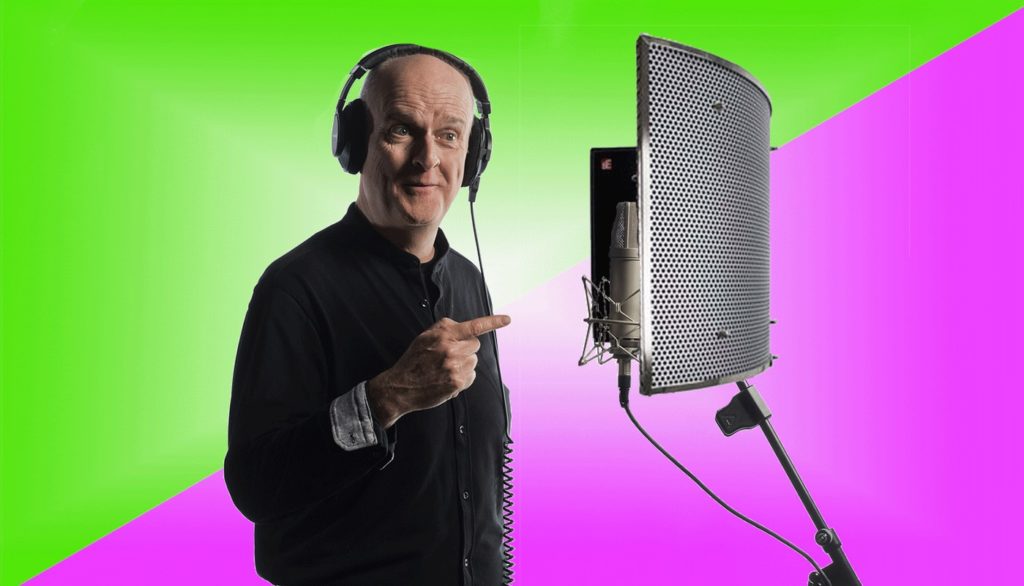
Do I Need A Sound Reflection Filter In My Home Studio?

by Hugh Edwards

The question “Do I need a sound reflection filter in my home studio” is often asked to us in our mentoring area at Gravy For The Brain. This blog will provide a definitive answer to that question!

The first thing we need to do to answer this question, is define what a home recording studio (or any recording studio for that matter) is, how mic’s work, and how it’s all used.

What’s the Point of a Home Recording Studio?

The point of a home recording studio is to provide a stable, repeatable recording environment with no sound ingress and no sound egress, while minimising any unwanted noise/sound reflections going into the microphone.

What does all that mean!? Let’s go through them one by one:

  • A stable and repeatable recording environment: We need to be able to have consistency in the recordings so that we can record a project on day 1, and then for example, do re-records/pickups two weeks later and have the recorded sound match exactly.
  • No sound ingress: We do not want any external sound coming into our recording area – the only thing we should pick up is the mic, not noise from the kitchen, passing cars, nearby school-kids screaming, the cat whining for even more food and so on.
  • No sound egress: Likewise we don’t want our ranting, wailing, screaming, crying or otherwise fantastic voiceover dialogue to bleed into the kitchen and upset the said cat – she’s trying to eat the food you just gave her.
  • No Sound reflections: Sound reflections are the sound recordist’s nemesis. The perfect scenario is that your mic picks up just the vocals that you speak into it. Let’s consider then an extreme example of recording in the kitchen, by the cat; you speak into the mic and the mic picks up your vocals. At the same time your vocals reflect off the wall and into the mic creating a tiny delay, which the mic pics up. At the same time, the vocals reflect of the ceiling which is a different distance to the mic, and is picked up with a different delay. At the same time, your vocals reflect off the cat bowl and then the ceiling and then the wall, and are then picked up by the mic with, again, a different delay. In reality your vocals are bouncing off all walls, ceilings, floors and objects in the room, and all are being picked up by the mic….which sounds like….reverb. This noise in fact, is your room noise. It sounds like a kitchen. The noise of a kitchen sounds pretty awful for recorded vocals and the aim is to remove all sound reflections altogether so that we just get your pure vocal into the mic and that only.

Read the rest of the article at Gravy for the Brain…